Tag Archives: recovery

Before you uninstall Avast Free Antivirus – make sure you exported your BitLocker recovery key(s)!

Avast Free Antivirus over the years really had gotten annoying. Not only do I directly know a person where even the Premium Version led to constant annoyment because it was randomly blocking internet communications via the Windows Firewall, it also caused all kinds of disturbances with its “Smart-Scan” that occur sometimes ever couple of minutes and bring up annoying popups every time they run.

Time to remove the thing.

But be aware!

After rebooting you will be asked for your BitLocker recovery key(s). And if asked, you better have them or you better have a good and recent backup of your data:

In general it is a good idea for backup your BitLocker keys, because a TPM- or simple firmware-update of your machine could also invalidate the current TPM state and require the recovery keys. Save them, store them in a safe location.

As for Avast: It would be good if within the uninstall process, they would warn you.
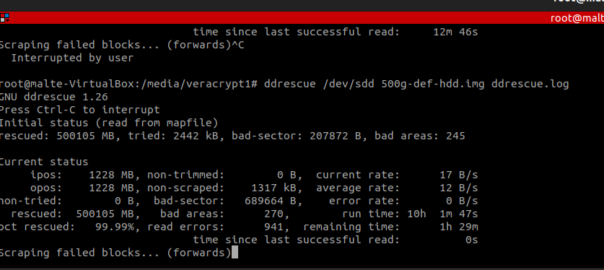
Data recovery from defective storage media using ddrescue and photorec

Recently, I found myself in the situation of having to undergo a large-scale recovery operation on a 15-year-old hard drive with a total runtime of nearly 70,000 hours. The drive had long suffered from numerous defective sectors and reading errors.

The specific hard drive model in question was the SAMSUNG HD501LJ, a contemporary model widely used in systems of that time. It was later replaced by 750GB and 1TB models in the following years before the hard drive division of SAMSUNG was partially acquired by Seagate in 2011.

The task at hand was not an easy one, as it involved:

  1. Safeguarding and reading as many data as possible.
  2. Making existing data available on the file systems.
  3. Locating and making available previously deleted data from the distant past.
  4. If feasible, writing the data onto a new storage medium of equal or greater size to restore the original system.
Continue reading Data recovery from defective storage media using ddrescue and photorec