Unfortunately, as of May 2026 and RouterOS 7.23, no.
The BELKIN F5D8053 v6 is basically a Realtek RTL8191SU/RTL8192SU, which currently does not seem to be supported to act as a Wifi interface for RouterOS on ARM32.
Unfortunately, as of May 2026 and RouterOS 7.23, no.
The BELKIN F5D8053 v6 is basically a Realtek RTL8191SU/RTL8192SU, which currently does not seem to be supported to act as a Wifi interface for RouterOS on ARM32.
Short: Yes, it does. But likely only with specific network chips.
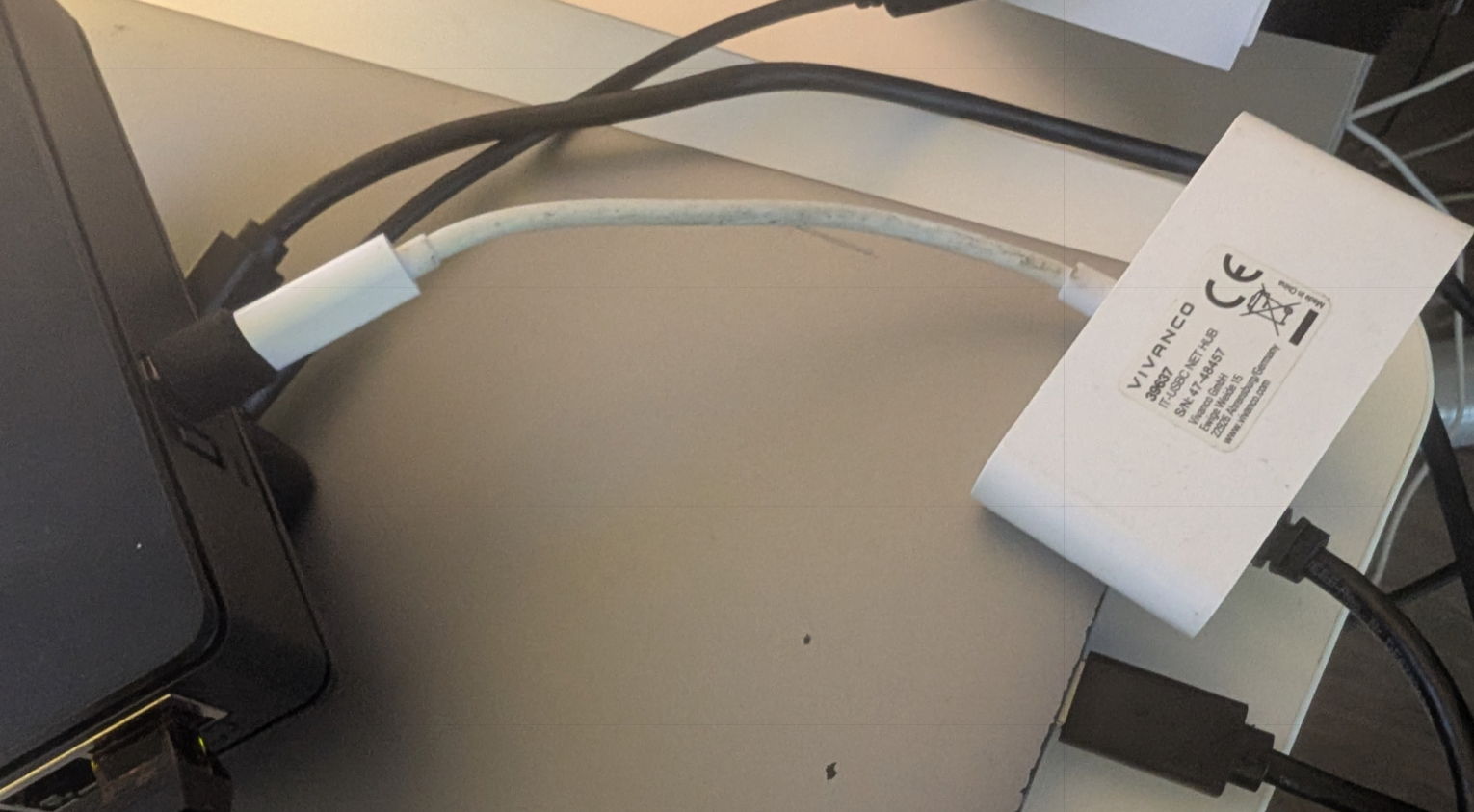
In my case, I tested with a small USB-C docking adapter, which I connected to my hAP ax S via USB-A to USB-C adapter as shown in the picture below. The chip is a Realtek RTL8153, which was immediately recognized by RouterOS and added as “ether6” interface to my interface list. (The hAP ax S without USB attachments features 5 ethernet ports called ether1-5 and 1 SFP port called “sfp1”.)
MikroTik as of right now does not feature a compatibility list of attachable network chipsets. They have a page called “Peripherals” which poses as a compatibility list for LTE modems, SFP modules and U.2 disks. I will inquire with MikroTik support if they see sense in adding a section for ethernet adapters.
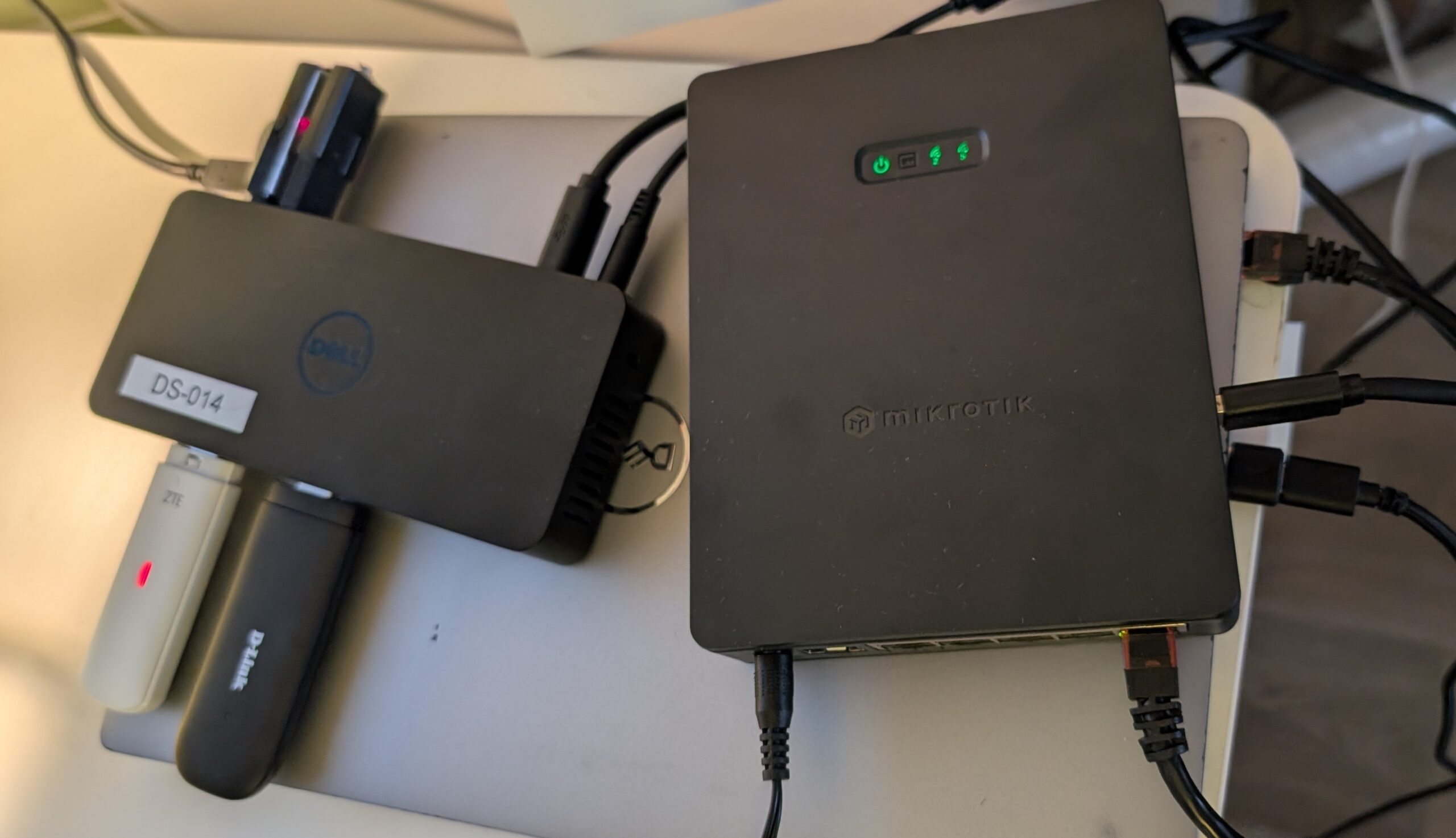
Short: Yes, works. I tested a Dell D3100 docking station with a built-in active USB hub in conjuction with the USB port of the hAP ax S. The following things worked find out of the box:
All cases worked flawlessly in both 7.20.x and the latest stable 7.22.x of MikroTik RouterOS.
Important to note is, that the docking station of course is actively powered. Given the small max power output of the USB port, this is the only way to run multiple LTE dongles AND storage devices in parallel.
Something that did not work yet is the docking stations internal Ethernet chip, even though it advertises itself as CDC_NCM but specifies no further chip it is based on. Given the non-existing amount of documentation about running additional ethernet ports via USB on MikroTik-devices, I assume the chances to be very small that this would work, anyway.
When operating CheckPoint’s Quantum Spark 1570 and similar appliances, it is a common practice to port-forward services that should be exposed to the internet. One could create a “server”, lets say for WireGuard VPN on port 51820 and forward this specific port to one specific machine on the local network.
The Quantum Spark appliance will do the rest, like adding a firewall rule to actually allow the traffic. Et voila, you can connect to your WireGuard VPN.
However when using the dynamic NAT feature, which is the default, at some point your service, in my case WireGuard, could be blocked again. Specifically after restarting the appliance when using IPv4+IPv6.
Why is that? Dynamic NAT rules on the 1570 use Dynamic Objects (objects that reference the current IP of an interface). After reboot, especially with IPv6 auto-configuration (SLAAC/DHCPv6), the interface’s IPv6 address or prefix changed. NAT rules referencing the old dynamic object no longer match the new interface address. The firewall throws the SK166457 error.
Solution? Use a non-changing IPv6 network or set the NAT to static. Likely the NAT will be IPv4 only, so it is perfectly fine to statically bind to a single, external IPv4.
So far I had a mixed experience with CheckPoint and Quantum Spark devices. Sometimes things are overcomplicated. But the worst part: Pretty much all of CheckPoints Knowledge Base (also the sk166457 article) is behind a login wall. That would not pose a problem, but even after creating a private account, the information stays hidden to authorized personnel with some kind of special permission. Solutions therefore must be found manually. Thats bad…