Tag: USB

  • External USB to ethernet adapter on MikroTik USB port – does that work?

    Short: Yes, it does. But likely only with specific network chips.

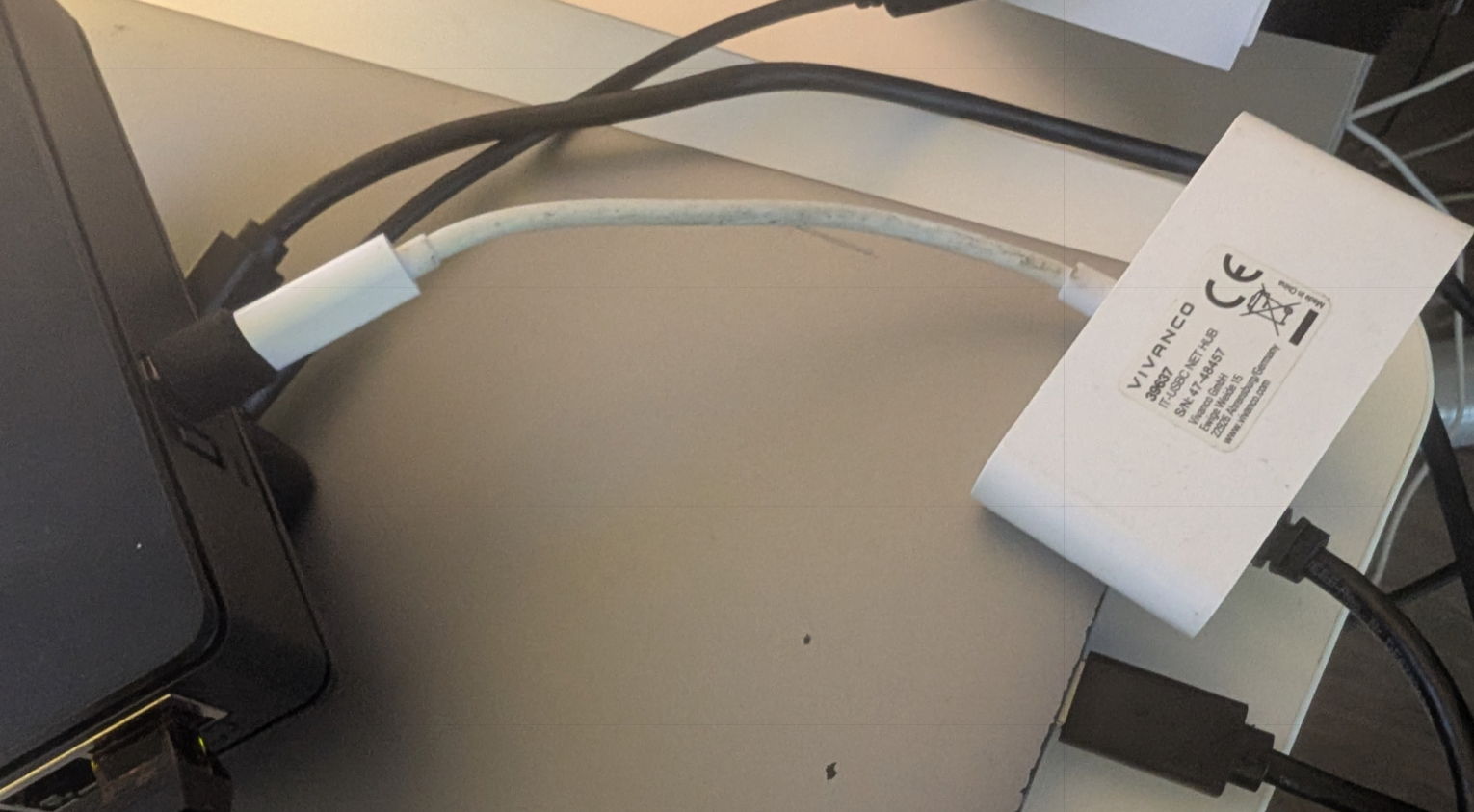
    In my case, I tested with a small USB-C docking adapter, which I connected to my hAP ax S via USB-A to USB-C adapter as shown in the picture below. The chip is a Realtek RTL8153, which was immediately recognized by RouterOS and added as “ether6” interface to my interface list. (The hAP ax S without USB attachments features 5 ethernet ports called ether1-5 and 1 SFP port called “sfp1”.)

    MikroTik as of right now does not feature a compatibility list of attachable network chipsets. They have a page called “Peripherals” which poses as a compatibility list for LTE modems, SFP modules and U.2 disks. I will inquire with MikroTik support if they see sense in adding a section for ethernet adapters.
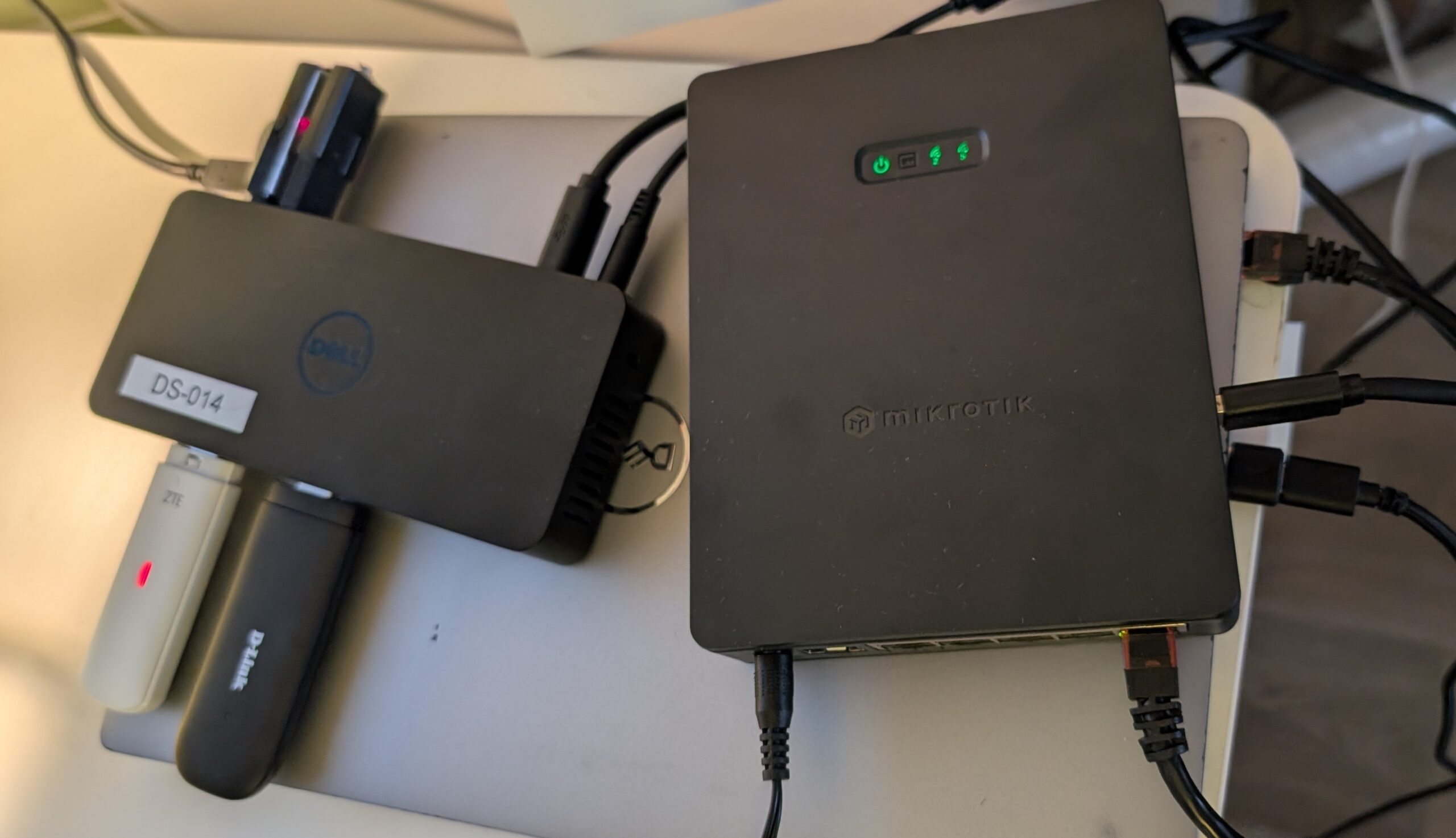
  • USB hub on MikroTik hAP ax S and other MikroTik devices to connect multiple storage or broadband devices?

    Short: Yes, works. I tested a Dell D3100 docking station with a built-in active USB hub in conjuction with the USB port of the hAP ax S. The following things worked find out of the box:

    • connecting 1-2 broadband LTE dongles and access them at the same time
    • connecting 1-2 storage devices and access the files on them
    • connecting all 4 named above at the same time

    All cases worked flawlessly in both 7.20.x and the latest stable 7.22.x of MikroTik RouterOS.

    Important to note is, that the docking station of course is actively powered. Given the small max power output of the USB port, this is the only way to run multiple LTE dongles AND storage devices in parallel.

    Something that did not work yet is the docking stations internal Ethernet chip, even though it advertises itself as CDC_NCM but specifies no further chip it is based on. Given the non-existing amount of documentation about running additional ethernet ports via USB on MikroTik-devices, I assume the chances to be very small that this would work, anyway.